-
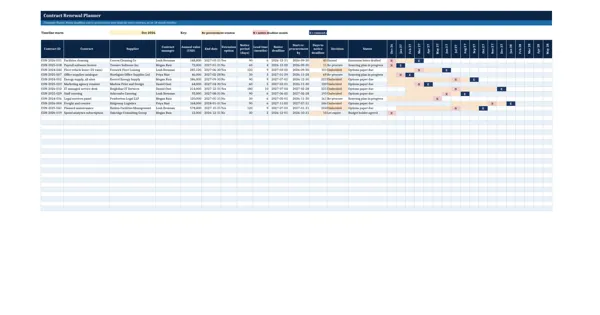
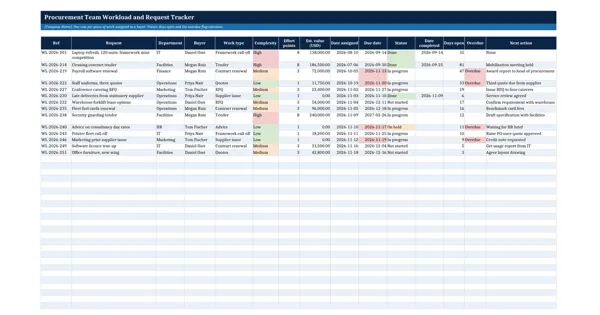 Excel workbook preview
Procurement Toolkit: Reports, KPIs and Team Tools
Procurement Team Workload and Request Tracker
3 downloads per free account, no card needed.
Who this is for
A head of procurement who must decide who takes the next tender, or justify another buyer to the board, uses this to see each buyer's real load.
What is inside
- 14 sample requests across 4 buyers with work type, complexity, value, due date and status
- Effort points from complexity (Low 1, Medium 3, High 8 by default) set on the Settings sheet
- Days open and an overdue flag that turns red when the due date passes
- Summary per buyer: open items, open points, capacity, load %, overdue and done in 30 days
- Red, amber and green load status and a chart of open points against capacity
- Dropdowns for buyer, work type, complexity and status, with 24 blank rows
How to use it: List every open request with its buyer, complexity and due date, and enter each buyer's capacity on the Settings sheet; load and overdue status calculate as you type.
Files & formats
- XLSXprocurement-team-workload-and-request-tracker.xlsx16 KB
Opens in Microsoft Word or Excel, Google Docs or Sheets and LibreOffice. Delivered instantly from your browser.
Free downloads & full access
Every account gets 3 free downloads. Re-downloading a template you already have does not count. This template on its own is $17.99, and buying it keeps your free downloads for something else. Full access is a one-time $249 for all 300 templates, for life.
Bought with a different email? Open your account and enter your order number.
Licence
Use and adapt the document inside your own organisation or for your own clients. Do not resell or republish the templates themselves.
More in Procurement Toolkit: Reports, KPIs and Team Tools
Procurement Toolkit: Reports, KPIs and Team Tools
Procurement Department Structure and Roles
Procurement Toolkit: Reports, KPIs and Team Tools
Procurement Officer Job Description
Procurement Toolkit: Reports, KPIs and Team Tools
Buyer Onboarding and Training Plan
Procurement Toolkit: Reports, KPIs and Team Tools