-
 Excel workbook preview
Procurement Toolkit: Reports, KPIs and Team Tools
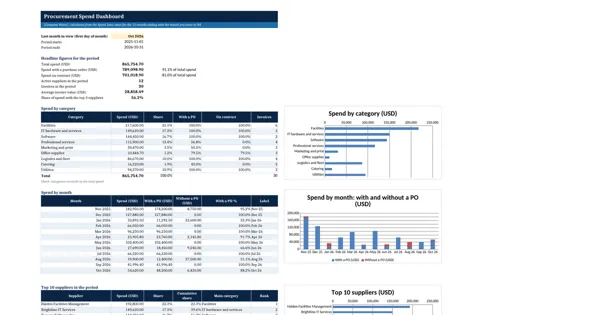
Procurement Spend Dashboard
3 downloads per free account, no card needed.
Who this is for
A buyer whom the head of procurement asked for a spend picture before the annual plan pastes the accounts payable extract in and has the dashboard in minutes.
What is inside
- Spend Data sheet for an accounts payable extract: 30 sample invoices over 12 months and 30 blank rows
- Spend by 9 categories with share, PO-backed share and on-contract share
- Spend by month for a rolling 12-month window you choose, split into with and without a PO
- Top 10 suppliers ranked automatically, with share and cumulative share (Pareto)
- Headline figures: total spend, PO and contract shares, active suppliers, average invoice, top 3 share
- Three charts that redraw when the data or the month in view changes
How to use it: Paste your invoice lines into the Spend Data sheet, keep the supplier and category names on the Suppliers and Lists sheets, and enter the last month to show on the Dashboard.
Files & formats
- XLSXprocurement-spend-dashboard.xlsx21 KB
Opens in Microsoft Word or Excel, Google Docs or Sheets and LibreOffice. Delivered instantly from your browser.
Free downloads & full access
Every account gets 3 free downloads. Re-downloading a template you already have does not count. This template on its own is $17.99, and buying it keeps your free downloads for something else. Full access is a one-time $249 for all 300 templates, for life.
Bought with a different email? Open your account and enter your order number.
Licence
Use and adapt the document inside your own organisation or for your own clients. Do not resell or republish the templates themselves.
More in Procurement Toolkit: Reports, KPIs and Team Tools
Procurement Toolkit: Reports, KPIs and Team Tools
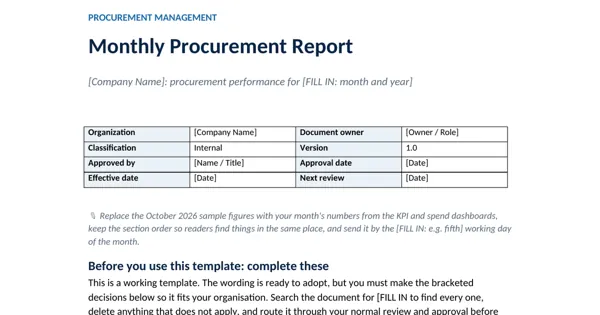
Monthly Procurement Report
Procurement Toolkit: Reports, KPIs and Team Tools
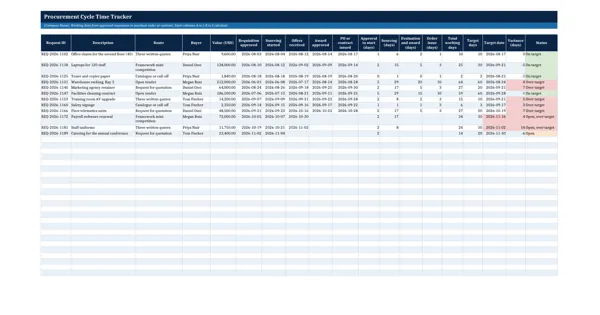
Procurement Cycle Time Tracker
Procurement Toolkit: Reports, KPIs and Team Tools
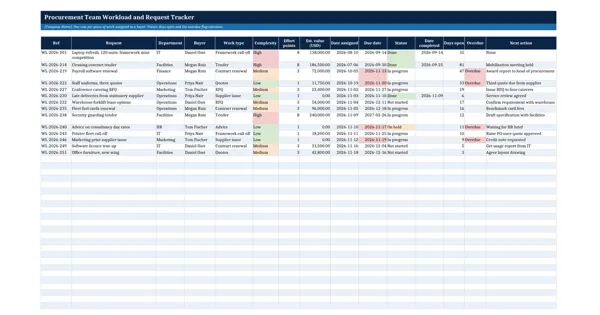
Procurement Team Workload and Request Tracker
Procurement Toolkit: Reports, KPIs and Team Tools